Packing for a month in one bag changes what you carry and how you shoot. The trip I remember most fondly was also the one with the least gear: one body, one zoom, one small prime, and a phone in my pocket. I came home with better pictures than from the trips where I dragged a full kit through three airports. Not because light bags make anyone a better photographer, but because a light bag keeps you walking, and the people who keep walking tend to be there when the light does something interesting.
What follows is the checklist I run before zipping the bag. It covers the gear that earns its place, the phone settings worth changing before you leave, and the backup routine that means the pictures actually come home with you.
Bring the camera you already know how to use in the dark, without looking. A trip is a poor time to learn a new menu system. If your current body is three years old and you can change ISO with your thumb, it is the right body. Rent or borrow something newer at home for a weekend first if the itch is unbearable.
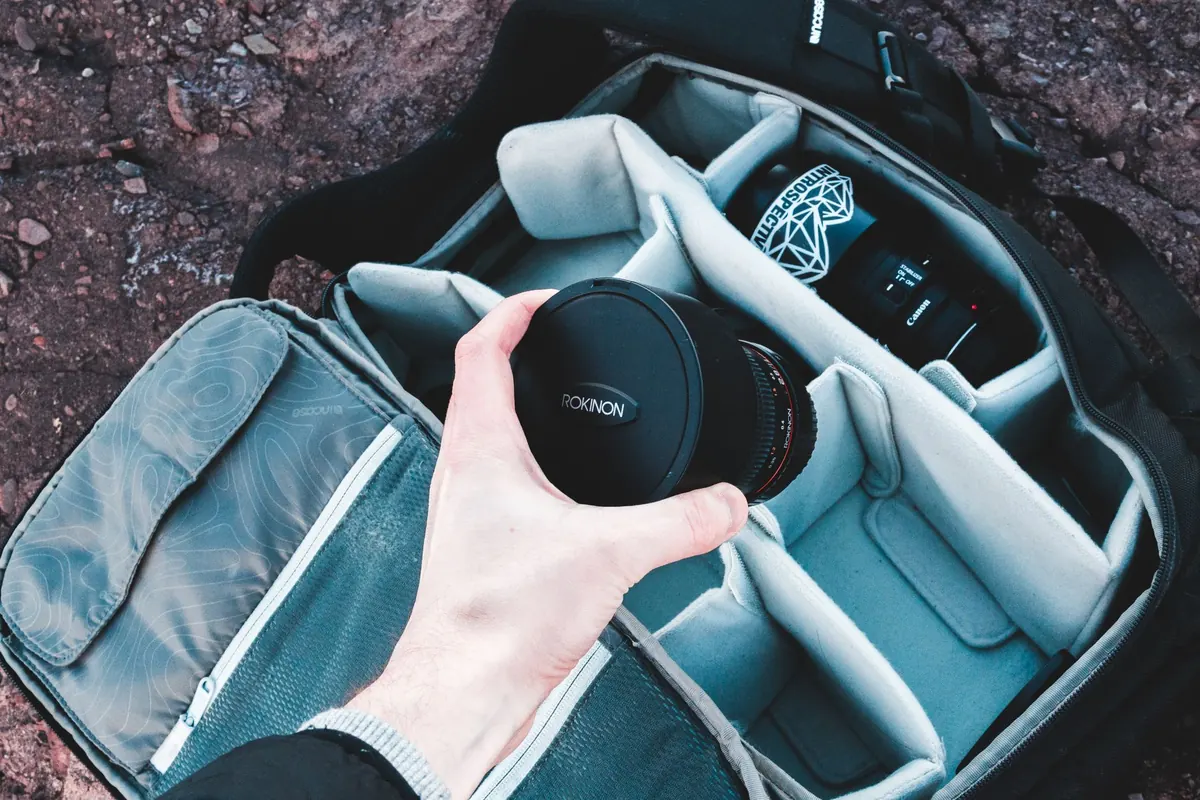
Then be honest about weight. A mirrorless body with a mid-range zoom is roughly the size of a paperback and about twice as heavy. That is fine on your shoulder for two hours and less fine on hour seven in a hill town with stairs. Weigh the bag on a kitchen scale before you leave. Anything over about four kilos total starts to shape your day around it.
A 24–70mm equivalent covers most of what a traveler photographs: streets, food, doorways, the friend across the table, the view from the ridge. Add one fast prime — 28mm or 35mm on a full-frame body, 23mm or 27mm on a crop sensor — for evenings, markets and interiors. That pair handles almost everything. A telephoto only comes if the trip is specifically about wildlife, sport or distant architecture, because it will otherwise ride around unused and heavy.
One polarizing filter, sized to your widest lens, plus a step-up ring for the other. Skip the rest of the filter pouch.
The tripod you imagine using at blue hour but never carry past the hotel door. The second body. The lens you are keeping "just in case". The laptop, if your phone can read a card and upload it. Each of these is a small weight that adds up to a reason to leave the camera behind on the day you should have taken it.
These cost almost nothing in space and rescue more photographs than any lens upgrade:
The phone is not the compromise camera. On most trips it will take a third of the pictures worth keeping, and it is also your card reader, your map, your note pad and your upload device. Treat it as gear: clean the lens with the cloth, not your sleeve, and give it a moment of thought before you fly.
The rule that matters: no photograph exists in only one place. Cards fail, phones get dropped in fountains, and hotel networks drop connections halfway through an upload. Build a routine that assumes one of those will happen.
Carry two cards and rotate them, so a day's work is split between them. Keep the card you are not using in a different pocket or bag compartment from the camera. On travel days, keep both on your body rather than in a bag that goes in an overhead locker or a luggage hold. Label them with tape and a marker — "A" and "B" is enough — so you never mix up which one holds the last three days.
Do this before dinner, not before bed, because before bed you will be tired and skip it. Plug the card reader into your phone or a small tablet, copy the day's files, then open two or three of them to check they are readable. Upload the best twenty or thirty to cloud storage overnight if the connection is decent; leave the rest for a bigger batch at home. Never delete or reformat a card until you have verified a second copy. When you get back, keep the cards untouched for a month.
If the Wi-Fi is hopeless, which it often is, copy files to your phone or a small drive and keep the cards as your master copy. A slow connection is an inconvenience. A wiped card is the end of the story.
Standardise on USB-C where you can; one charger and two cables is lighter and less confusing than a nest of adapters. A universal plug adapter with two USB ports covers most countries and doubles as your bedside charging station. Charge everything every night, even the battery you did not use.
Cold drains batteries, so on mountain mornings sleep with the spare in an inside pocket. Rain is survivable with a zip-lock bag, a rubber band and the cloth; the bigger risk is condensation, so when you come in from the cold, leave the camera in the bag and let it warm up slowly before you open it. Airline rules on lithium batteries vary and change, so check your carrier's current guidance and keep spare batteries in the cabin with you rather than in checked luggage.
Five minutes at the door, every time. Battery in the camera, charged. Spare battery charged and packed. Card in the camera with space on it, second card in the wallet. Lens cloth where you can reach it without opening the whole bag. Phone at full charge, with the camera ready on the lock screen.
Then put the bag down and go and look at the street. The checklist is not there to make you fuss over equipment. It is there so that by the time the good light arrives, you have already stopped thinking about it.
Photo: Erik Mclean / Pexels